Introduction
When salary day arrives late or feels wrong, employees remember. Managers get pulled into WhatsApp threads. HR and accounts spend nights fixing sheets that should have been clean from day one.
In many Indian offices, factories, and branch teams, attendance still lives in registers, biometric exports, and shared Excel files. Those tools can record a punch. They rarely protect the full path from punch to payable days.
This article walks through the attendance mistakes that quietly break payroll, what they cost, and how TIME ERP keeps attendance, leave, and pay data in one place.
1. Why Attendance Drives Payroll
Payroll is not only a fixed CTC number. For most roles, the monthly amount depends on present days, paid leave, unpaid leave, overtime, and late or early rules.
If attendance is incomplete on the cut-off date, payroll teams guess. Guessing creates underpayment, overpayment, or endless reverse entries in the next month.
- Present days decide basic payable time
- Leave status decides paid vs unpaid days
- Shift and overtime rules change payouts
- Approvals decide whether a correction is valid
Payroll quality follows attendance quality. Fix the source, and salary corrections drop fast.
2. Five Mistakes That Create Errors
1. Punches without policy
A biometric machine stores in and out times. It does not decide half-day rules, grace minutes, or weekly offs. When policy lives only in someone’s memory, two managers treat the same punch differently.
2. Leave that never reaches attendance
An employee applies for leave on email or chat. The register still shows absent. Payroll marks LOP. Trust breaks, even when the leave was genuine.
3. Late manager approvals
Regularization requests pile up after the payroll lock. Accounts either reopen the cycle or push corrections to next month. Both options create noise.
4. Field teams outside the system
Sales and site staff mark attendance on paper or photos. Office staff use biometric. By month end, HR merges two different standards into one sheet.
5. Manual edits with no audit trail
When anyone can overwrite a day in Excel, disputes become he-said stories. Finance cannot prove who changed what and why.
Broken path
- Punch in one machine export
- Leave in email threads
- Approvals in chat
- Final sheet rebuilt by hand
Stable path
- Punch and mobile check-in in one record
- Leave linked to the same calendar
- Manager approval before cut-off
- Payroll reads one approved dataset
3. What These Errors Cost
The cost is larger than one wrong line item.
- Employee trust: Repeated salary fixes feel unfair, even when corrected later.
- HR time: Teams spend closing week reconciling instead of hiring or onboarding.
- Finance risk: Overpayment is hard to recover. Underpayment creates complaints.
- Compliance pressure: Weak records make audits and labour queries harder.

4. A Healthy Attendance to Pay Flow
Strong teams treat attendance like a process, not a month-end scramble.
From punch to pay in four controlled steps
- 1 Capture Biometric or mobile check-in with policy rules
- 2 Review Exceptions and leave requests before cut-off
- 3 Approve Manager sign-off with an audit trail
- 4 Pay Payroll reads locked attendance and leave data
If step 2 and step 3 happen after payroll starts, you are already in correction mode.
5. How TIME ERP Helps
TIME ERP brings attendance into the same platform as leave, employee records, and payroll support. That removes the merge work that creates most mistakes.
- Cloud attendance for office and field teams
- Leave requests that update the same calendar
- Manager approvals with clear status
- Reports HR and accounts can trust at cut-off
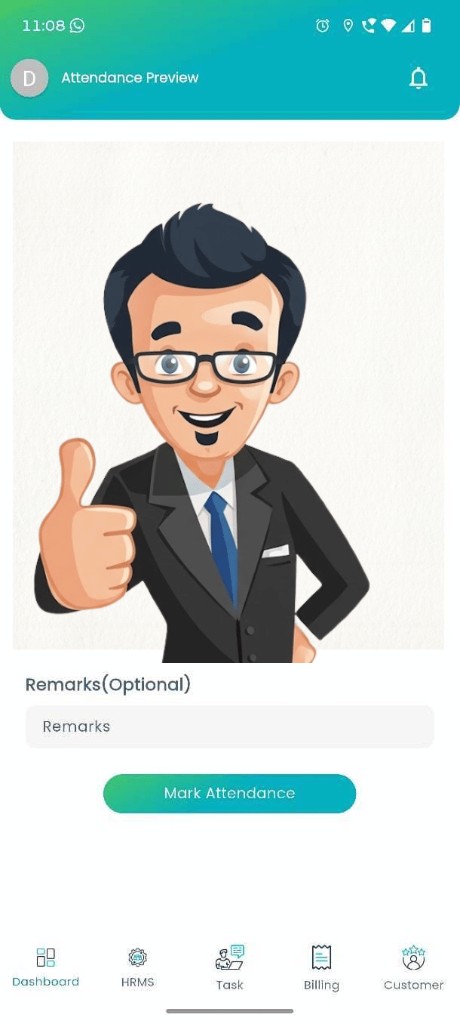
One record for every location
Branch staff and field teams can mark attendance on mobile while office teams use the same rules. Managers see exceptions early, not on salary day.
Because leave and attendance sit together, payable days stay consistent when payroll runs.

6. Practical Checklist Before Your Next Pay Cycle
- Write half-day, late, and weekly-off rules in the system, not only in a policy PDF.
- Set an attendance cut-off that is earlier than the payroll lock date.
- Require manager approval for regularizations before that cut-off.
- Stop accepting leave on chat for payroll decisions.
- Give field teams a mobile option that posts to the same attendance list.
- Export or review exception reports two days before payroll starts.
Assign one person to own the cut-off calendar. Shared ownership often means no ownership on busy weeks.
7. Frequently Asked Questions (FAQ)
Attendance drives payable days, overtime, and leave deductions. Wrong punches or delayed approvals create wrong salary calculations.
Common issues include late punch edits, missing half-day rules, leave not linked to attendance, and managers approving after payroll lock.
Biometric captures punches, but payroll still needs clear policies, leave sync, and manager approval. TIME ERP connects these steps in one flow.
Yes. Cloud attendance supports mobile check-in so remote and branch teams stay on the same record as office staff.
Most teams improve the next pay cycle once punches, leave, and approvals sit in one system with a clear cut-off.
8. Conclusion and Call to Action
Payroll disputes rarely begin with bad intent. They begin with attendance that is late, incomplete, or split across tools.
When capture, leave, approval, and pay read from one system, salary day becomes quieter. Teams spend less time defending numbers and more time running the business.
Want cleaner attendance before the next salary cycle?
See how TIME ERP attendance, leave, and payroll support work together for growing Indian teams. Book a free demo.